Lenovo Yoga Book 9i as a Daily Driver
It's unusual, but a two-screen laptop is the future of computing!
Choosing a computer to use for everyday use can be quite challenging. If you work on multiple documents at one time, you may choose an external display to connect to your computer. However, when traveling, this means leaving the display at home and working only off the laptop screen. While possible, it isn't a perfect solution. Most of us just make it work.
Recently I had the opportunity to swap out my primary computer for a Lenovo Yoga Book 9i, which has two screens with an external keyboard and mouse. The keyboard can attach to the bottom display with hidden magnets, or you can simply use it like a standard external keyboard. It might be slightly less convenient when traveling, but you will always have two displays with you, making it far easier to work from any destination imaginable.
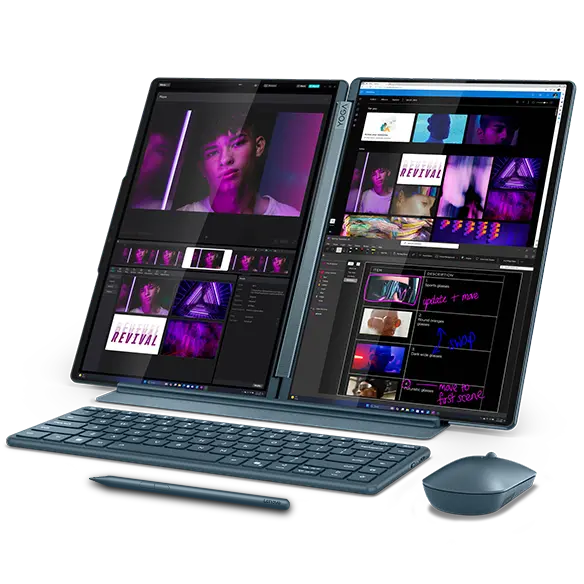
Figure 1: Lenovo Yoga Book 9i
Not being a fan of Microsoft or Windows, I immediately tried to put Linux on the Yoga Book. Pop!-OS had too many issues and some hardware elements did not work correctly. So I then tried NixOS, and I'm happy to report that afer much experimentation, I now have it fully functional. Pen input works, touch input works, and both displays perform as expected. Even suspend works as you would hope with Linux. In fact, the computer is performing so well that I'm using it as my daily driver.
In 2026, I'm trying to focus less on technology and more on human interaction. This necessarily means I need to stop working on my computer as much, and start to remember the names of people I meet. I've taken the first step now, which is to have a working system, and keep it working. Then I can focus on the better things in life.
